Guides
Handing off a virtual assistant agency client: what the offboarding checklist misses
An exit sequence for virtual assistant agencies: revoke access, reconcile the retainer, return client data, and run the win-back window after the account closes.
What to take away
- Offboarding runs in four phasesfreeze, reconcile, return, and close. Each phase needs an owner and a date.
- Revocation is not finished until an admin login confirms the seat is gone.
- The final invoice should carry a one page retainer reconciliation.
- Client data goes back in a format the client can open without you, then your copies are deleted on a written date.
- The win-back window starts the day the account closes, with notes at 30, 90, and 180 days.
The exit sequence has a fixed order
Onboarding accumulates access. Offboarding withdraws it. Those are not mirror actions, so an offboarding checklist virtual assistant agency teams copy from onboarding will miss steps.
A virtual assistant agency client offboarding sequence has four phases: freeze, reconcile, return, and close. Give every phase an owner and a due date. Without dates, files stay open for months.
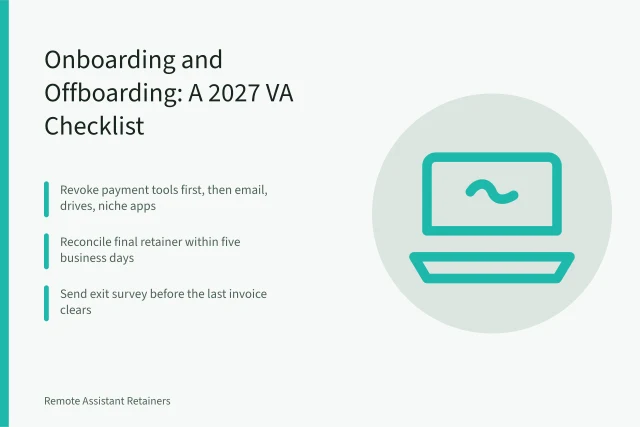
For the wider comparison of onboarding files, access revocation, retainer reconciliation, and the referral loop, the 2027 checklist covers both directions.
Phase one: freeze the account and revoke access
Freeze means stop new work, not stop all contact. Tell the assigned assistant to stop logging in. Route inbound client email to one named person on your team. The client handoff file starts here, not on the last day of work.
Revoke every credential the client gave you: email, CRM, project tool, ad accounts, banking dashboards, social schedulers, and the domain registrar. Record a timestamp for each one.
Verification is the step most checklists skip. Log in as the account admin and confirm the seat is gone, not just deactivated. Check shared passwords stored in your vault too.
The exit process ends with a closed file, not a goodbye email.
If the client is in Canada, removing their personal data from those tools falls under federal privacy law. The Office of the Privacy Commissioner of Canada publishes guidance on consent, safeguards, and breach reporting for this stage.
Phase two: reconcile the retainer and invoice
Most retainers bill in advance. A client leaving mid-cycle may have unused hours, prepaid days, or a rollover cap written into the agreement.
Put the math on one page: retainer paid, hours delivered, hours remaining, and the credit or balance due. Attach that page to the final invoice.
Contractors paid on the last run may need a Form 1099-NEC. The IRS page on Form 1099-NEC explains who receives one and what counts as nonemployee compensation.
Phase three: return data, then delete
The deliverable is not a zip file. It is the client's data in a format they can open without you. Use CSV for contact lists, MP4 for recordings, PDF for reports, and native exports for their project tool.
| Item | Format for handover | Delete by |
|---|---|---|
| Contact and lead lists | CSV | Day 30 |
| Drafts and creative assets | Native files plus PDF | Day 30 |
| Call recordings | MP4 and TXT | Day 30 |
| Performance reports | PDF or spreadsheet | Day 45 |
| Credentials and API keys | Client rotated, confirmed | Day 7 |
Confirm in writing what you deleted and on what date. FTC guidance on data security and mapping data flows helps you trace where copies actually live.
Phase four: the win-back window
Retention after offboarding is its own task list. Clients pause for budget reasons, seasonal lulls, or an internal hire. Some of those pauses are recoverable.
Set reminders at 30, 90, and 180 days. The 30 day note is a records check. The 90 day note is a short check-in with no pitch. The 180 day note carries a concrete offer.
Keep a one page exit summary: why they left, what they kept, and who replaced you, if anyone. That page beats the exit survey. The practical detail is set out in PIPEDA for a Canadian virtual assistant.
A client who leaves cleanly refers more often than one who leaves mid-dispute. Treat the exit as a marketing channel.
Example: a 30 day exit calendar
- Day 0confirm the exit in writing and freeze new work.
- Days 1 to 3revoke every credential and verify admin access is closed.
- Day 5send the retainer reconciliation with the final invoice.
- Day 10deliver data exports and confirm the client opened them.
- Day 30delete your copies and confirm the deletion in writing.
- Day 90send a no-pitch check-in.